
Home / About Us / Contact / Hours / Pricing / Services / Downloads / Tips & Tricks / Client Testimonials Fun Stuff Things You Don't Want To Hear From Technical Support "Do you have a sledgehammer or a brick handy?" "That's right, not even McGyver could fix it." "So -- what are you wearing?" "Duuuuuude! Bummer!" "We can fix this, but you're gonna need a butter knife, a roll of duct tape, and a car battery." "Hold on a second... Mom! Timmy's hitting me!"
Fun Web Site
http://turnofftheinternet.com
Follow the
instructions (push the button) to turn off the internet and see what
happens.
Please note, this is just for fun and will not do anything nasty or
damaging. Just close the window to exit.
Jesus
Saves
Jesus and Satan were having an on-going argument about who was better on
the computer.
They had been going at it for days
and frankly God was tired of hearing all the bickering.
Finally fed up, God said, "That's it!
I have had enough. I am going to set up a test that will run
for two hours and from those results,
I will judge who does the better job."
So Satan and Jesus sat down at the
keyboards and typed away.
They moused.
They faxed.
They e-mailed.
They e-mailed with attachments.
They downloaded.
They did spreadsheets!
They wrote reports.
They created labels and cards.
They created charts and graphs.
They did some genealogy reports.
They did every job known to man.
Jesus worked with heavenly efficiency
and Satan was as fast as can be.
Then, ten minutes before their time
was up, lightning suddenly flashed across the sky,
thunder rolled, rain poured and of
course, the power went off.
Satan stared at his blank screen and
screamed every curse word known in the underworld.
Jesus just sighed.
Finally, the electricity came back on
and each of them restarted their computers.
Satan started searching frantically,
screaming, "It's gone! It's all gone! I lost everything when the
power went out!"
Meanwhile, Jesus quietly started
printing out all of his files from the past two hours of work.
Satan observed this and became irate.
"Wait!" he screamed. "That's not
fair! He cheated! How come he has all his work and I don't
have any"?
God just shrugged and said, "Jesus
saves."
Jigsaw Puzzles These are 'standalone' jigsaw puzzles which means all you have to do is double-click on it to start the jigsaw. They're easy to use. Just right-click on the puzzle you want to download and choose 'save target as'.
"Blue
Mouse" Laptop
Swirl

Video
Right-click the file you want to download and choose 'save target as'. Save it to somewhere easy to get to like 'My Documents' (for XP users) or 'Documents' (for Vista users). Once it's downloaded, just double click to play. (It should play in Windows Media Player by default) and if you are connected to the internet it should download any codecs you might need automatically. A codec is a very small computer program that both shrinks large movie files, and makes them playable on your computer.
Canadian
Fishing (8.9MB)
A new way to fish
Yellow
Pages Haircut (2.64MB)
How not to cut your nieces hair
Rain
(4.73MB)
Amazing what you can do with your hands
Lifeguard in the
Pool (1.09MB)
A Jamie Kennedy experiment
Computer
Scare Prank (7.41MB)
With friends like these, who needs enemies?
OK
Go - Here it goes again - Music Video on Treadmills (6.95MB)
You just have to watch it to
marvel...
 Shockwave These are 'standalone' Shockwave Files that will (by default) play in Internet Explorer. If the IE window opens with a yellow strip across the top, it means you have your protection set to a medium/ high level. To play the file, just right click on the yellow strip, click 'Allow Blocked Content' then click 'Yes' when the next window comes up. To download these, just right-click on the file you want to download and choose 'save target as'. If you don't have the Shockwave plugin installed go to the
Download
page for the link. Sorry Chill
I like you
Insanity Test
The Cat who saw you naked
Paintball
Game
Chicken
Game
Does
anyone know who's phone this is?
He's
a man...for the women who need a laugh and (for the men who can take
it!)
Circle
Split - see how many times you can split the circle...
ID Ten T Error Young Judy, the editor of a trivia publication, was having trouble with her computer. So she called Steve, the computer guy, over to her desk. Steve clicked a couple buttons and solved the problem. As he was walking away, Judy called after him, "So, what was wrong?" And he replied, "It was an ID ten T error." A puzzled expression ran riot over Judy's face. "An ID ten T error? What's that ... in case I need to fix it again??" He gave her a grin... ;-) "Haven't you ever heard of an ID ten T error before?" "No," replied Judy. "Write it down," he said, "and I think you'll figure it out." (She wrote...) I D 1 0 T 
A Helping Hand When the office printer's type began to grow faint, the office manager called a local repair shop where a friendly man informed him that the printer probably needed only to be cleaned. Because the store charged $50 for such cleanings, he said, the manager might try reading the printer's manual and doing the job himself. Pleasantly surprised by his candor, the office manager asked, "Does your boss know that you discourage business?" "Actually it's my boss's idea," the employee replied. "We usually make more money on repairs if we let people try to fix things themselves first." 
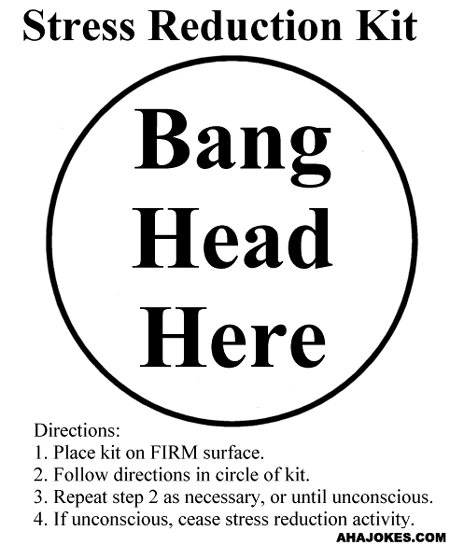
Need a little stress reducing.....? Right click where it says 'stress reducers.exe' and then click save target as. Save to My Documents. When that's done find the file in My Documents and double click it. Hit 'Esc' on your keyboard to exit the program.
Stress Reducers.exe - go wild on your screen. The Ten Internet Commandments are? 1) Thou shalt not buy merchandise found in pop up ads or spam. 2) Thou shalt not post thy e-mail address, phone number, address or Winz/IRD number on the Internet, nor shalt thou post anyone else's. 3) Thou shalt not forget to update thy Antivirus. nor shalt thou begin a scan without checking for updates. 4) Thou shalt not cover thy neighour’s unsecured Wifi.  5) Thou shalt not enter thy credit card number without seeing the tiny padlock icon on thy status bar. 6) Thou shalt not reply to the e-mail from the Nigerian banker. 7) Thou shalt not forward chain letters to thy friends and family. 8) Thou shalt not use "password" as thy password, nor thy birthday, nor thy childrens' names. 9) Thou shalt not sign up thy friends & family to porn….err….joke newsletters. 10) Thou shalt not install software, click on popups, delete files or anything else the internet says without checking with an expert
first.
TOP |